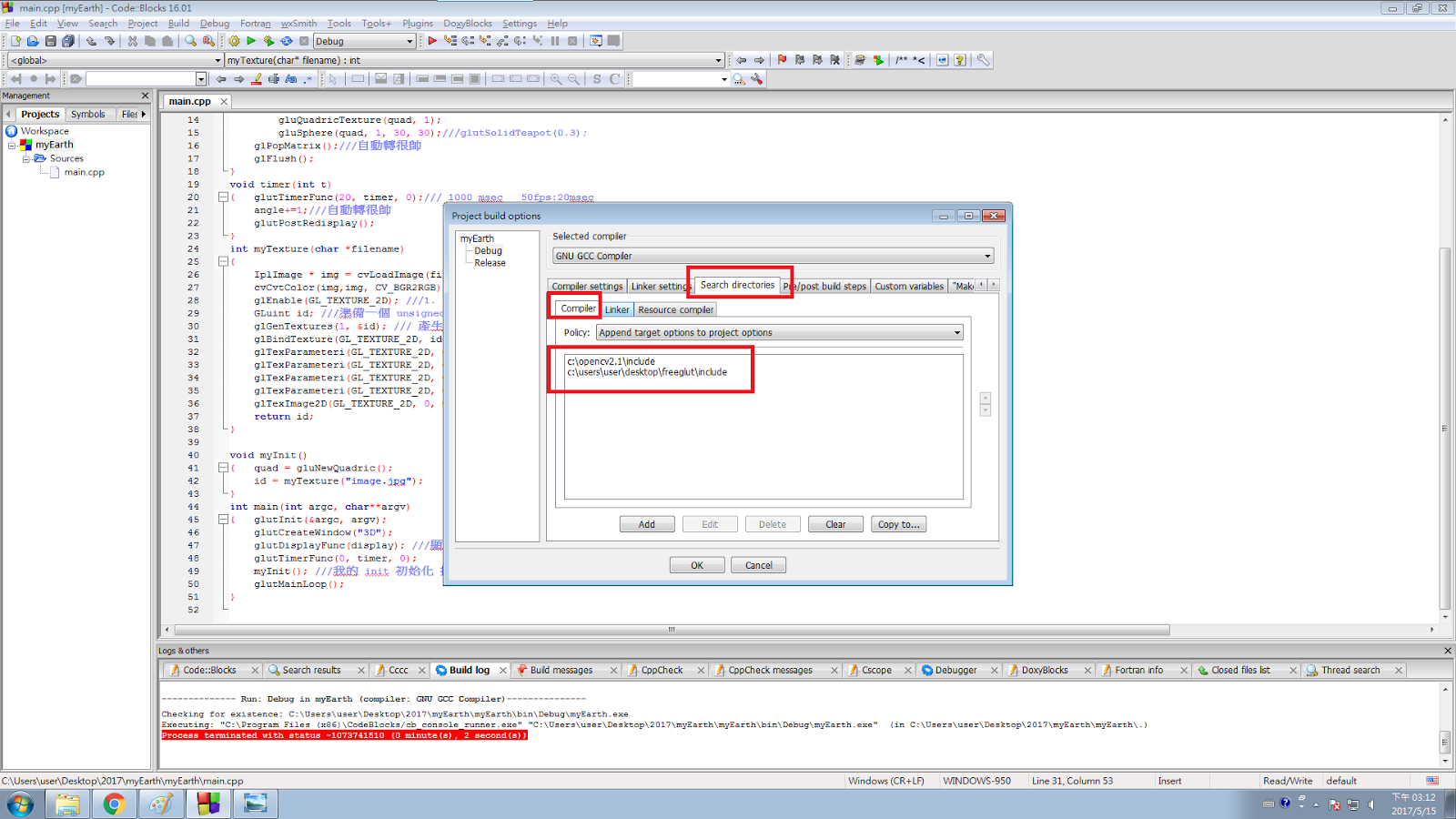
將程式碼中的display變數中在新增一組glPushMatrix();、glPopMatrix();將要旋轉的物體丟進去,接著在裡面打上旋轉的程式碼glRotatef(headAngle,0,1,0);,這樣放在glPushMatrix();、glPopMatrix();之間的物體都能跟身體旋轉,簡單說就是在glPushMatrix();、glPopMatrix();之間的物體,一起旋轉。
#include <string.h>
#include <stdlib.h>
#include <GL/glut.h>
#include "glm.h"
GLMmodel* pmodel1 = NULL;
GLMmodel* pmodel2 = NULL;
GLMmodel* pmodel3 = NULL;
GLMmodel* pmodel4 = NULL;
GLMmodel* pmodel5 = NULL;
GLMmodel* pmodel6 = NULL;
GLMmodel* pmodel7 = NULL;
GLMmodel* pmodel8 = NULL;
float angle=0;
float headAngle=0;
void display()
{
headAngle++;
glClear(GL_COLOR_BUFFER_BIT | GL_DEPTH_BUFFER_BIT);
glPushMatrix();
glRotatef(angle, 0,1,0);
if (!pmodel1) {//head
pmodel1 = glmReadOBJ("C:\\Users\\user\\Desktop\\hw122/head.obj");
if (!pmodel1) exit(0);
glmUnitize(pmodel1);
glmFacetNormals(pmodel1);
glmVertexNormals(pmodel1, 90.0);
}
if (!pmodel2) {//body
pmodel2 = glmReadOBJ("C:\\Users\\user\\Desktop\\hw122/body.obj");
if (!pmodel2) exit(0);
glmUnitize(pmodel2);
glmFacetNormals(pmodel2);
glmVertexNormals(pmodel2, 90.0);
}
if (!pmodel3) {
pmodel3 = glmReadOBJ("C:\\Users\\user\\Desktop\\hw122/up1.obj");
if (!pmodel3) exit(0);
glmUnitize(pmodel3);
glmFacetNormals(pmodel3);
glmVertexNormals(pmodel3, 90.0);
}
if (!pmodel4) {
pmodel4 = glmReadOBJ("C:\\Users\\user\\Desktop\\hw122/up2.obj");
if (!pmodel4) exit(0);
glmUnitize(pmodel4);
glmFacetNormals(pmodel4);
glmVertexNormals(pmodel4, 90.0);
}
if (!pmodel5) {
pmodel5 = glmReadOBJ("C:\\Users\\user\\Desktop\\hw122/hand.obj");
if (!pmodel5) exit(0);
glmUnitize(pmodel5);
glmFacetNormals(pmodel5);
glmVertexNormals(pmodel5, 90.0);
}
if (!pmodel6) {
pmodel6 = glmReadOBJ("C:\\Users\\user\\Desktop\\hw122/down1.obj");
if (!pmodel6) exit(0);
glmUnitize(pmodel6);
glmFacetNormals(pmodel6);
glmVertexNormals(pmodel6, 90.0);
}
if (!pmodel7) {
pmodel7 = glmReadOBJ("C:\\Users\\user\\Desktop\\hw122/down2.obj");
if (!pmodel7) exit(0);
glmUnitize(pmodel7);
glmFacetNormals(pmodel7);
glmVertexNormals(pmodel7, 90.0);
}
if (!pmodel8) {
pmodel8 = glmReadOBJ("C:\\Users\\user\\Desktop\\hw122/down3.obj");
if (!pmodel8) exit(0);
glmUnitize(pmodel8);
glmFacetNormals(pmodel8);
glmVertexNormals(pmodel8, 90.0);
}
glPushMatrix(); //頭
glRotatef(headAngle,0,1,0);//旋轉
glPushMatrix(); //身體
glTranslatef(0,0.1,0);//移動
glRotatef(90,0,1,0);//旋轉
glScalef(0.4,0.4,0.4);//縮放
glmDraw(pmodel2, GLM_SMOOTH | GLM_MATERIAL);
glPopMatrix();
glPushMatrix();
glTranslatef(0,0.65,0);//移動
glRotatef(90,0,1,0);//旋轉
glScalef(0.6,0.6,0.6);//縮放
glmDraw(pmodel1, GLM_SMOOTH | GLM_MATERIAL);
glPopMatrix();
glPushMatrix();//右臂
glTranslatef(0.45,0.3,0);
glRotatef(90,0,1,0);
glScalef(0.5,0.5,0.5);
glmDraw(pmodel3, GLM_SMOOTH | GLM_MATERIAL);
glPopMatrix();
glPushMatrix();//右籌
glTranslatef(0.55,0,0);
glRotatef(90,0,1,0);
glScalef(0.5,0.5,0.5);
glmDraw(pmodel4, GLM_SMOOTH | GLM_MATERIAL);
glPopMatrix();
glPushMatrix();//右長
glTranslatef(0.8,0,0);
glRotatef(270,0,1,0);
glScalef(0.5,0.5,0.5);
glmDraw(pmodel5, GLM_SMOOTH | GLM_MATERIAL);
glPopMatrix();
glPushMatrix();//左臂
glTranslatef(-0.45,0.3,0);
glRotatef(90,0,1,0);
glScalef(0.5,0.5,0.5);
glmDraw(pmodel3, GLM_SMOOTH | GLM_MATERIAL);
glPopMatrix();
glPushMatrix();//左籌
glTranslatef(-0.55,0,0);
glRotatef(90,0,1,0);
glScalef(0.5,0.5,0.5);
glmDraw(pmodel4, GLM_SMOOTH | GLM_MATERIAL);
glPopMatrix();
glPushMatrix();//左掌
glTranslatef(-0.8,0,0);
glRotatef(90,0,1,0);
glScalef(0.5,0.5,0.5);
glmDraw(pmodel5, GLM_SMOOTH | GLM_MATERIAL);
glPopMatrix();
glPopMatrix();
glPushMatrix();//左大腿
glTranslatef(-0.2,-0.35,0);
glRotatef(90,0,1,0);
glScalef(0.2,0.25,0.25);
glmDraw(pmodel6, GLM_SMOOTH | GLM_MATERIAL);
glPopMatrix();
glPushMatrix();//左小腿
glTranslatef(-0.25,-0.7,0);
glRotatef(90,0,1,0);
glScalef(0.5,0.4,0.5);
glmDraw(pmodel7, GLM_SMOOTH | GLM_MATERIAL);
glPopMatrix();
glPushMatrix();//左掌
glTranslatef(-0.3,-0.9,0);
glRotatef(90,0,1,0);
glScalef(0.5,0.5,0.5);
glmDraw(pmodel8, GLM_SMOOTH | GLM_MATERIAL);
glPopMatrix();
glPushMatrix();//右大腿
glTranslatef(0.2,-0.35,0);
glRotatef(270,0,1,0);
glScalef(0.2,0.25,0.25);
glmDraw(pmodel6, GLM_SMOOTH | GLM_MATERIAL);
glPopMatrix();
glPushMatrix();//右小腿
glTranslatef(0.25,-0.7,0);
glRotatef(90,0,1,0);
glScalef(0.5,0.4,0.5);
glmDraw(pmodel7, GLM_SMOOTH | GLM_MATERIAL);
glPopMatrix();
glPushMatrix();//右腳掌
glTranslatef(0.3,-0.9,0);
glRotatef(90,0,1,0);
glScalef(0.5,0.5,0.5);
glmDraw(pmodel8, GLM_SMOOTH | GLM_MATERIAL);
glPopMatrix();
glPopMatrix();
glutSwapBuffers();
}
const GLfloat light_ambient[] = { 0.0f, 0.0f, 0.0f, 1.0f };
const GLfloat light_diffuse[] = { 1.0f, 1.0f, 1.0f, 1.0f };
const GLfloat light_specular[] = { 1.0f, 1.0f, 1.0f, 1.0f };
const GLfloat light_position[] = { 2.0f, 5.0f, -5.0f, 0.0f };
const GLfloat mat_ambient[] = { 0.7f, 0.7f, 0.7f, 1.0f };
const GLfloat mat_diffuse[] = { 0.8f, 0.8f, 0.8f, 1.0f };
const GLfloat mat_specular[] = { 1.0f, 1.0f, 1.0f, 1.0f };
const GLfloat high_shininess[] = { 100.0f };
int main(int argc, char**argv)
{
glutInit(&argc, argv);
glutInitDisplayMode(GLUT_DOUBLE | GLUT_DEPTH | GLUT_RGB);
glutCreateWindow("04160496hw");
glutDisplayFunc(display);
glutIdleFunc(display);
glClearColor(1,1,1,1);
glEnable(GL_DEPTH_TEST);
glDepthFunc(GL_LESS);
glEnable(GL_LIGHT0);
glEnable(GL_NORMALIZE);
glEnable(GL_COLOR_MATERIAL);
glEnable(GL_LIGHTING);
glLightfv(GL_LIGHT0, GL_AMBIENT, light_ambient);
glLightfv(GL_LIGHT0, GL_DIFFUSE, light_diffuse);
glLightfv(GL_LIGHT0, GL_SPECULAR, light_specular);
glLightfv(GL_LIGHT0, GL_POSITION, light_position);
glMaterialfv(GL_FRONT, GL_AMBIENT, mat_ambient);
glMaterialfv(GL_FRONT, GL_DIFFUSE, mat_diffuse);
glMaterialfv(GL_FRONT, GL_SPECULAR, mat_specular);
glMaterialfv(GL_FRONT, GL_SHININESS, high_shininess);
glutMainLoop();
}
利用計時氣旋轉
在原本的程式碼裡,加入 glutTimerFunc(0,timer,0);在主程式中,然後設定void timer的函數,在裡面打上 glutTimerFunc(10,timer,t+1);、angle++;,讓物體能跟著計時氣旋轉。
程式碼如下:
#include <string.h>
#include <stdlib.h>
#include <GL/glut.h>
#include "glm.h"
GLMmodel* pmodel1 = NULL;
GLMmodel* pmodel2 = NULL;
GLMmodel* pmodel3 = NULL;
GLMmodel* pmodel4 = NULL;
GLMmodel* pmodel5 = NULL;
GLMmodel* pmodel6 = NULL;
GLMmodel* pmodel7 = NULL;
GLMmodel* pmodel8 = NULL;
float angle=0;
void display()
{
glClear(GL_COLOR_BUFFER_BIT | GL_DEPTH_BUFFER_BIT);
glPushMatrix();
if (!pmodel1) {//head
pmodel1 = glmReadOBJ("C:\\Users\\user\\Desktop\\hw122/head.obj");
if (!pmodel1) exit(0);
glmUnitize(pmodel1);
glmFacetNormals(pmodel1);
glmVertexNormals(pmodel1, 90.0);
}
if (!pmodel2) {//body
pmodel2 = glmReadOBJ("C:\\Users\\user\\Desktop\\hw122/body.obj");
if (!pmodel2) exit(0);
glmUnitize(pmodel2);
glmFacetNormals(pmodel2);
glmVertexNormals(pmodel2, 90.0);
}
if (!pmodel3) {
pmodel3 = glmReadOBJ("C:\\Users\\user\\Desktop\\hw122/up1.obj");
if (!pmodel3) exit(0);
glmUnitize(pmodel3);
glmFacetNormals(pmodel3);
glmVertexNormals(pmodel3, 90.0);
}
if (!pmodel4) {
pmodel4 = glmReadOBJ("C:\\Users\\user\\Desktop\\hw122/up2.obj");
if (!pmodel4) exit(0);
glmUnitize(pmodel4);
glmFacetNormals(pmodel4);
glmVertexNormals(pmodel4, 90.0);
}
if (!pmodel5) {
pmodel5 = glmReadOBJ("C:\\Users\\user\\Desktop\\hw122/hand.obj");
if (!pmodel5) exit(0);
glmUnitize(pmodel5);
glmFacetNormals(pmodel5);
glmVertexNormals(pmodel5, 90.0);
}
if (!pmodel6) {
pmodel6 = glmReadOBJ("C:\\Users\\user\\Desktop\\hw122/down1.obj");
if (!pmodel6) exit(0);
glmUnitize(pmodel6);
glmFacetNormals(pmodel6);
glmVertexNormals(pmodel6, 90.0);
}
if (!pmodel7) {
pmodel7 = glmReadOBJ("C:\\Users\\user\\Desktop\\hw122/down2.obj");
if (!pmodel7) exit(0);
glmUnitize(pmodel7);
glmFacetNormals(pmodel7);
glmVertexNormals(pmodel7, 90.0);
}
if (!pmodel8) {
pmodel8 = glmReadOBJ("C:\\Users\\user\\Desktop\\hw122/down3.obj");
if (!pmodel8) exit(0);
glmUnitize(pmodel8);
glmFacetNormals(pmodel8);
glmVertexNormals(pmodel8, 90.0);
}
glPushMatrix();
//glRotatef(angle,0,1,0);//旋轉
glPushMatrix();//頭
glTranslatef(0,0.65,0);//移動
glRotatef(90,0,1,0);//旋轉
glScalef(0.6,0.6,0.6);//縮放
glmDraw(pmodel1, GLM_SMOOTH | GLM_MATERIAL);
glPopMatrix();
glPushMatrix(); //身體
glTranslatef(0,0.1,0);//移動
glRotatef(90,0,1,0);//旋轉
glScalef(0.4,0.4,0.4);//縮放
glmDraw(pmodel2, GLM_SMOOTH | GLM_MATERIAL);
glPopMatrix();
glPushMatrix();//右臂
glTranslatef(0.43,0.3,0);
glRotatef(angle,1,0,0);
glTranslatef(-0.45,-0.3,0);
glPushMatrix();
glTranslatef(0.45,0.3,0);
glRotatef(90,0,1,0);
glScalef(0.5,0.5,0.5);
glmDraw(pmodel3, GLM_SMOOTH | GLM_MATERIAL);
glPopMatrix();
glPushMatrix();//右籌
glTranslatef(0.55,0,0);
glRotatef(90,0,1,0);
glScalef(0.5,0.5,0.5);
glmDraw(pmodel4, GLM_SMOOTH | GLM_MATERIAL);
glPopMatrix();
glPushMatrix();//右長
glTranslatef(0.8,0,0);
glRotatef(270,0,1,0);
glScalef(0.5,0.5,0.5);
glmDraw(pmodel5, GLM_SMOOTH | GLM_MATERIAL);
glPopMatrix();
glPopMatrix();
glPushMatrix();
glTranslatef(0.46,0.3,0);
glRotatef(angle,1,0,0);
glTranslatef(-0.45,-0.3,0);
glPushMatrix();//左臂
glTranslatef(-0.45,0.3,0);
glRotatef(90,0,1,0);
glScalef(0.5,0.5,0.5);
glmDraw(pmodel3, GLM_SMOOTH | GLM_MATERIAL);
glPopMatrix();
glPushMatrix();//左籌
glTranslatef(-0.55,0,0);
glRotatef(90,0,1,0);
glScalef(0.5,0.5,0.5);
glmDraw(pmodel4, GLM_SMOOTH | GLM_MATERIAL);
glPopMatrix();
glPushMatrix();//左掌
glTranslatef(-0.8,0,0);
glRotatef(90,0,1,0);
glScalef(0.5,0.5,0.5);
glmDraw(pmodel5, GLM_SMOOTH | GLM_MATERIAL);
glPopMatrix();
glPopMatrix();
glPopMatrix();
glPopMatrix();
glPushMatrix();//左大腿
glTranslatef(-0.2,-0.35,0);
glRotatef(90,0,1,0);
glScalef(0.2,0.25,0.25);
glmDraw(pmodel6, GLM_SMOOTH | GLM_MATERIAL);
glPopMatrix();
glPushMatrix();//左小腿
glTranslatef(-0.25,-0.7,0);
glRotatef(90,0,1,0);
glScalef(0.5,0.4,0.5);
glmDraw(pmodel7, GLM_SMOOTH | GLM_MATERIAL);
glPopMatrix();
glPushMatrix();//左掌
glTranslatef(-0.3,-0.9,0);
glRotatef(90,0,1,0);
glScalef(0.5,0.5,0.5);
glmDraw(pmodel8, GLM_SMOOTH | GLM_MATERIAL);
glPopMatrix();
glPushMatrix();//右大腿
glTranslatef(0.2,-0.35,0);
glRotatef(270,0,1,0);
glScalef(0.2,0.25,0.25);
glmDraw(pmodel6, GLM_SMOOTH | GLM_MATERIAL);
glPopMatrix();
glPushMatrix();//右小腿
glTranslatef(0.25,-0.7,0);
glRotatef(90,0,1,0);
glScalef(0.5,0.4,0.5);
glmDraw(pmodel7, GLM_SMOOTH | GLM_MATERIAL);
glPopMatrix();
glPushMatrix();//右腳掌
glTranslatef(0.3,-0.9,0);
glRotatef(90,0,1,0);
glScalef(0.5,0.5,0.5);
glmDraw(pmodel8, GLM_SMOOTH | GLM_MATERIAL);
glPopMatrix();
glPopMatrix();
glutSwapBuffers();
}
const GLfloat light_ambient[] = { 0.0f, 0.0f, 0.0f, 1.0f };
const GLfloat light_diffuse[] = { 1.0f, 1.0f, 1.0f, 1.0f };
const GLfloat light_specular[] = { 1.0f, 1.0f, 1.0f, 1.0f };
const GLfloat light_position[] = { 2.0f, 5.0f, -5.0f, 0.0f };
const GLfloat mat_ambient[] = { 0.7f, 0.7f, 0.7f, 1.0f };
const GLfloat mat_diffuse[] = { 0.8f, 0.8f, 0.8f, 1.0f };
const GLfloat mat_specular[] = { 1.0f, 1.0f, 1.0f, 1.0f };
const GLfloat high_shininess[] = { 100.0f };
#include <stdio.h>
void timer(int t)
{
glutTimerFunc(10,timer,t+1);
angle++;
printf("%d\n",t);
}
int main(int argc, char**argv)
{
glutInit(&argc, argv);
glutInitDisplayMode(GLUT_DOUBLE | GLUT_DEPTH | GLUT_RGB);
glutCreateWindow("04160496hw");
glutDisplayFunc(display);
glutIdleFunc(display);
glutTimerFunc(0,timer,0);
glClearColor(1,1,1,1);
glEnable(GL_DEPTH_TEST);
glDepthFunc(GL_LESS);
glEnable(GL_LIGHT0);
glEnable(GL_NORMALIZE);
glEnable(GL_COLOR_MATERIAL);
glEnable(GL_LIGHTING);
glLightfv(GL_LIGHT0, GL_AMBIENT, light_ambient);
glLightfv(GL_LIGHT0, GL_DIFFUSE, light_diffuse);
glLightfv(GL_LIGHT0, GL_SPECULAR, light_specular);
glLightfv(GL_LIGHT0, GL_POSITION, light_position);
glMaterialfv(GL_FRONT, GL_AMBIENT, mat_ambient);
glMaterialfv(GL_FRONT, GL_DIFFUSE, mat_diffuse);
glMaterialfv(GL_FRONT, GL_SPECULAR, mat_specular);
glMaterialfv(GL_FRONT, GL_SHININESS, high_shininess);
glutMainLoop();
}
利用TRT讓手臂旋轉
將display函數裡手臂的程式碼再多加一組glPushMatrix();、glPopMatrix();,然後在裡面加入TRT,glTranslatef(0.46,0.3,0);、glRotatef(angle,1,0,0);、glTranslatef(-0.45,-0.3,0);裡面的數職自行調整到合適。
程式碼如下:
#include <string.h>
#include <stdlib.h>
#include <GL/glut.h>
#include "glm.h"
GLMmodel* pmodel1 = NULL;
GLMmodel* pmodel2 = NULL;
GLMmodel* pmodel3 = NULL;
GLMmodel* pmodel4 = NULL;
GLMmodel* pmodel5 = NULL;
GLMmodel* pmodel6 = NULL;
GLMmodel* pmodel7 = NULL;
GLMmodel* pmodel8 = NULL;
float angle=0;
void display()
{
glClear(GL_COLOR_BUFFER_BIT | GL_DEPTH_BUFFER_BIT);
glPushMatrix();
if (!pmodel1) {//head
pmodel1 = glmReadOBJ("C:\\Users\\user\\Desktop\\hw122/head.obj");
if (!pmodel1) exit(0);
glmUnitize(pmodel1);
glmFacetNormals(pmodel1);
glmVertexNormals(pmodel1, 90.0);
}
if (!pmodel2) {//body
pmodel2 = glmReadOBJ("C:\\Users\\user\\Desktop\\hw122/body.obj");
if (!pmodel2) exit(0);
glmUnitize(pmodel2);
glmFacetNormals(pmodel2);
glmVertexNormals(pmodel2, 90.0);
}
if (!pmodel3) {
pmodel3 = glmReadOBJ("C:\\Users\\user\\Desktop\\hw122/up1.obj");
if (!pmodel3) exit(0);
glmUnitize(pmodel3);
glmFacetNormals(pmodel3);
glmVertexNormals(pmodel3, 90.0);
}
if (!pmodel4) {
pmodel4 = glmReadOBJ("C:\\Users\\user\\Desktop\\hw122/up2.obj");
if (!pmodel4) exit(0);
glmUnitize(pmodel4);
glmFacetNormals(pmodel4);
glmVertexNormals(pmodel4, 90.0);
}
if (!pmodel5) {
pmodel5 = glmReadOBJ("C:\\Users\\user\\Desktop\\hw122/hand.obj");
if (!pmodel5) exit(0);
glmUnitize(pmodel5);
glmFacetNormals(pmodel5);
glmVertexNormals(pmodel5, 90.0);
}
if (!pmodel6) {
pmodel6 = glmReadOBJ("C:\\Users\\user\\Desktop\\hw122/down1.obj");
if (!pmodel6) exit(0);
glmUnitize(pmodel6);
glmFacetNormals(pmodel6);
glmVertexNormals(pmodel6, 90.0);
}
if (!pmodel7) {
pmodel7 = glmReadOBJ("C:\\Users\\user\\Desktop\\hw122/down2.obj");
if (!pmodel7) exit(0);
glmUnitize(pmodel7);
glmFacetNormals(pmodel7);
glmVertexNormals(pmodel7, 90.0);
}
if (!pmodel8) {
pmodel8 = glmReadOBJ("C:\\Users\\user\\Desktop\\hw122/down3.obj");
if (!pmodel8) exit(0);
glmUnitize(pmodel8);
glmFacetNormals(pmodel8);
glmVertexNormals(pmodel8, 90.0);
}
glPushMatrix();
//glRotatef(angle,0,1,0);//旋轉
glPushMatrix();//頭
glTranslatef(0,0.65,0);//移動
glRotatef(90,0,1,0);//旋轉
glScalef(0.6,0.6,0.6);//縮放
glmDraw(pmodel1, GLM_SMOOTH | GLM_MATERIAL);
glPopMatrix();
glPushMatrix(); //身體
glTranslatef(0,0.1,0);//移動
glRotatef(90,0,1,0);//旋轉
glScalef(0.4,0.4,0.4);//縮放
glmDraw(pmodel2, GLM_SMOOTH | GLM_MATERIAL);
glPopMatrix();
glPushMatrix();//右臂
glTranslatef(0.43,0.3,0);
glRotatef(angle,1,0,0);
glTranslatef(-0.45,-0.3,0);
glPushMatrix();
glTranslatef(0.45,0.3,0);
glRotatef(90,0,1,0);
glScalef(0.5,0.5,0.5);
glmDraw(pmodel3, GLM_SMOOTH | GLM_MATERIAL);
glPopMatrix();
glPushMatrix();//右籌
glTranslatef(0.55,0,0);
glRotatef(90,0,1,0);
glScalef(0.5,0.5,0.5);
glmDraw(pmodel4, GLM_SMOOTH | GLM_MATERIAL);
glPopMatrix();
glPushMatrix();//右長
glTranslatef(0.8,0,0);
glRotatef(270,0,1,0);
glScalef(0.5,0.5,0.5);
glmDraw(pmodel5, GLM_SMOOTH | GLM_MATERIAL);
glPopMatrix();
glPopMatrix();
glPushMatrix();
glTranslatef(0.46,0.3,0);
glRotatef(angle,1,0,0);
glTranslatef(-0.45,-0.3,0);
glPushMatrix();//左臂
glTranslatef(-0.45,0.3,0);
glRotatef(90,0,1,0);
glScalef(0.5,0.5,0.5);
glmDraw(pmodel3, GLM_SMOOTH | GLM_MATERIAL);
glPopMatrix();
glPushMatrix();//左籌
glTranslatef(-0.55,0,0);
glRotatef(90,0,1,0);
glScalef(0.5,0.5,0.5);
glmDraw(pmodel4, GLM_SMOOTH | GLM_MATERIAL);
glPopMatrix();
glPushMatrix();//左掌
glTranslatef(-0.8,0,0);
glRotatef(90,0,1,0);
glScalef(0.5,0.5,0.5);
glmDraw(pmodel5, GLM_SMOOTH | GLM_MATERIAL);
glPopMatrix();
glPopMatrix();
glPopMatrix();
glPopMatrix();
glPushMatrix();//左大腿
glTranslatef(-0.2,-0.35,0);
glRotatef(90,0,1,0);
glScalef(0.2,0.25,0.25);
glmDraw(pmodel6, GLM_SMOOTH | GLM_MATERIAL);
glPopMatrix();
glPushMatrix();//左小腿
glTranslatef(-0.25,-0.7,0);
glRotatef(90,0,1,0);
glScalef(0.5,0.4,0.5);
glmDraw(pmodel7, GLM_SMOOTH | GLM_MATERIAL);
glPopMatrix();
glPushMatrix();//左掌
glTranslatef(-0.3,-0.9,0);
glRotatef(90,0,1,0);
glScalef(0.5,0.5,0.5);
glmDraw(pmodel8, GLM_SMOOTH | GLM_MATERIAL);
glPopMatrix();
glPushMatrix();//右大腿
glTranslatef(0.2,-0.35,0);
glRotatef(270,0,1,0);
glScalef(0.2,0.25,0.25);
glmDraw(pmodel6, GLM_SMOOTH | GLM_MATERIAL);
glPopMatrix();
glPushMatrix();//右小腿
glTranslatef(0.25,-0.7,0);
glRotatef(90,0,1,0);
glScalef(0.5,0.4,0.5);
glmDraw(pmodel7, GLM_SMOOTH | GLM_MATERIAL);
glPopMatrix();
glPushMatrix();//右腳掌
glTranslatef(0.3,-0.9,0);
glRotatef(90,0,1,0);
glScalef(0.5,0.5,0.5);
glmDraw(pmodel8, GLM_SMOOTH | GLM_MATERIAL);
glPopMatrix();
glPopMatrix();
glutSwapBuffers();
}
const GLfloat light_ambient[] = { 0.0f, 0.0f, 0.0f, 1.0f };
const GLfloat light_diffuse[] = { 1.0f, 1.0f, 1.0f, 1.0f };
const GLfloat light_specular[] = { 1.0f, 1.0f, 1.0f, 1.0f };
const GLfloat light_position[] = { 2.0f, 5.0f, -5.0f, 0.0f };
const GLfloat mat_ambient[] = { 0.7f, 0.7f, 0.7f, 1.0f };
const GLfloat mat_diffuse[] = { 0.8f, 0.8f, 0.8f, 1.0f };
const GLfloat mat_specular[] = { 1.0f, 1.0f, 1.0f, 1.0f };
const GLfloat high_shininess[] = { 100.0f };
#include <stdio.h>
void timer(int t)
{
glutTimerFunc(10,timer,t+1);
angle++;
printf("%d\n",t);
}
int main(int argc, char**argv)
{
glutInit(&argc, argv);
glutInitDisplayMode(GLUT_DOUBLE | GLUT_DEPTH | GLUT_RGB);
glutCreateWindow("04160496hw");
glutDisplayFunc(display);
glutIdleFunc(display);
glutTimerFunc(0,timer,0);
glClearColor(1,1,1,1);
glEnable(GL_DEPTH_TEST);
glDepthFunc(GL_LESS);
glEnable(GL_LIGHT0);
glEnable(GL_NORMALIZE);
glEnable(GL_COLOR_MATERIAL);
glEnable(GL_LIGHTING);
glLightfv(GL_LIGHT0, GL_AMBIENT, light_ambient);
glLightfv(GL_LIGHT0, GL_DIFFUSE, light_diffuse);
glLightfv(GL_LIGHT0, GL_SPECULAR, light_specular);
glLightfv(GL_LIGHT0, GL_POSITION, light_position);
glMaterialfv(GL_FRONT, GL_AMBIENT, mat_ambient);
glMaterialfv(GL_FRONT, GL_DIFFUSE, mat_diffuse);
glMaterialfv(GL_FRONT, GL_SPECULAR, mat_specular);
glMaterialfv(GL_FRONT, GL_SHININESS, high_shininess);
glutMainLoop();
}